
What Error Code 22E Means
Error code 22E usually indicates a problem with the evaporator fan motor inside the refrigerator section.
This fan has two critical jobs:
- Circulate cold air from the evaporator coils through the fridge compartment
- Maintain even temperature so food stays safely chilled
When the fan stops or runs weakly, the fridge warms up, even if the freezer still feels cold.
Typical Symptoms of Error 22E
If your refrigerator shows error 22E, you may notice:
- Fresh food compartment is warm, while the freezer is still OK or slightly cold
- You hear no fan noise when the door switch is pressed, or you hear rattling/scraping from the fan area
- The fridge tries to cool but cannot reach the set temperature
- Frost or ice buildup behind the rear panel inside the fridge
These signs point to a faulty fan motor, blocked fan blades, or a related airflow problem.
Safety First: What to Do Before Any Repair
Before you touch anything inside the appliance:
- Unplug the refrigerator from the wall outlet
- If you must move it, avoid bending the refrigerant lines
- Keep tools and hands away from the compressor and live wires
If you are not comfortable working with electrical parts, skip the DIY steps and contact a professional refrigerator technician in NYC at
Fridge Repair NYC.
Step 1: Try a Simple Reset
Sometimes 22E is triggered by a temporary glitch.
- Unplug the fridge for 5–10 minutes
- Plug it back in
- Check if error 22E reappears after a few minutes of running
If the code comes back, the problem is not just a software glitch and you should continue diagnosis.
Step 2: Check Airflow and Ice Buildup
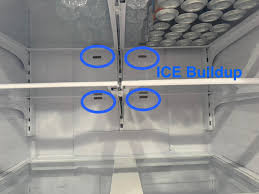
Poor airflow can make the control board think the fan has failed.
- Open the fridge and inspect vents in the rear panel
- Look for ice buildup or heavy frost behind or around the vents
- If you see a lot of ice, the evaporator area may be blocked
Quick defrost method (temporary fix):
- Turn the refrigerator off and leave doors open for several hours
- Place towels on the floor to catch melting water
- When all ice has melted, power the fridge back on and monitor it
If 22E disappears for a short time and then returns, the fan motor or defrost system is likely faulty and needs attention.
Step 3: Test the Door Switch
Many refrigerators stop the fan when the door is open. A bad door switch can trick the control board into believing the door is always open.
- Find the door switch (usually near the top or side of the compartment)
- Press and hold the switch with the door open
- Listen carefully for the fan starting up inside the rear panel
- If you hear the fan, the switch is working and the fan can run
- If you don’t hear anything, continue to the next step to inspect the fan
Step 4: Inspect the Evaporator Fan and Wiring
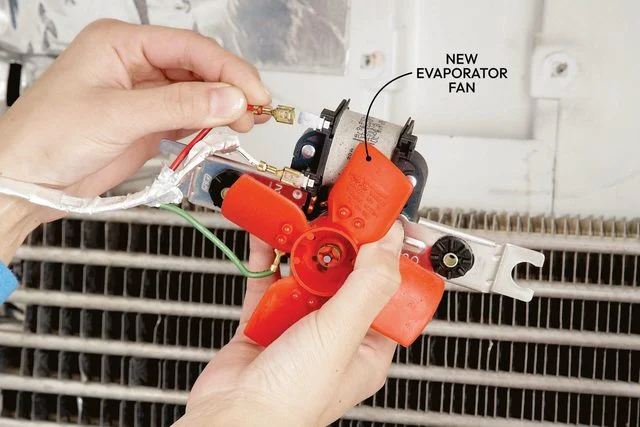
Only do this if you are comfortable removing interior panels and working around wiring.
- Unplug the fridge
- Remove the shelves and drawers blocking the rear panel inside the fridge
- Unscrew and take off the rear interior panel carefully
- You should now see the evaporator fan motor and fan blades
Check for:
- Ice blocking the fan blades
- Foreign objects (plastic, packaging, broken parts) stuck in the fan
- Damaged or loose wiring going to the fan motor
- Burn marks or a smell of burnt plastic near the motor
Gently try to turn the fan blades by hand:
- If the blades do not spin freely, the motor may be seized or the shaft is worn
- If they spin loosely with no resistance, the motor might be electrically dead
At this point, most repairs require replacing the fan motor.
Step 5: When and How the Fan Motor Is Replaced
Replacing the evaporator fan motor is a common, but precision-sensitive repair.
Typical professional steps include:
- Disconnecting the old motor from the wiring harness
- Removing the fan blade assembly and any mounting brackets
- Installing the new OEM or high-quality compatible motor
- Reconnecting wiring, securing the fan, and confirming free rotation
- Reassembling panels and checking for proper airflow and noise level
- Clearing the error code and verifying stable temperature
A poorly installed fan can cause vibration, noise, or repeated error 22E. That’s why this step is usually best handled by a trained technician.
If you are in New York City and want a same-day professional repair, you can schedule service through Fridge Repair NYC.